Powered By

Powered by Blogger

Tampilkan postingan dengan label libreoffice. Tampilkan semua postingan

Selasa, 22 Maret 2011

LibreOffice 3.3.2, Released [Minor Bugfix Release]

LibreOffice

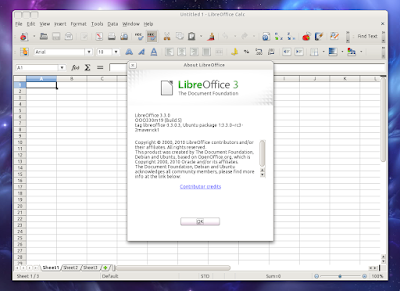
LibreOffice 3.3.2 has been released today, bringing further improves and stability. This is a bugfix release and is identical to LibreOffice 3.3.2 RC2 (so if you've already installed LibreOffice 3.3.2, you basically have the latest stable version).

Here's the LibreOffice 3.3.2 changelog:
  • translation and dictionary updates
  • en-US fallback strings for incomplete translations
  • calc: Properly invalidate cached sheet XML streams during reference update.
  • Make sure these values are positive; we use them to resize arrays.
  • Fixed incorrect cursor navigation.
  • Go through all tokens to look for a volatile one.
  • Enable import of macros for docxm
  • ensure a valid mediatype is set up for the ooxml
  • ensure node outlives xpath
  • prevent null pointer access when no ffdata available
  • remove Online Update and Improvement program
  • occasional blank first slide in presentation
  • some pythonsamples not visible on Mac OS X
  • work around IM problems with KDE4 integration
  • Writer looses information in tick boxes
  • Fix for non-working VBA container controls
  • updated de_CH and de_AT dictionaries
  • fix mis-paint of right Impress pane headers
  • Fix to prefer gcc __sync functions over pthread on arm


The next major LibreOffice version - 3.4 -, is expected sometime in mid May.


I for one really appreciate the "Enable import of macros for docxm" feature as I have to work with such files at work, but I'll be waiting for the PPA to be updated (the Ubuntu LibreOffice PPA currently holds version 3.3.1 for Ubuntu 10.04 Lucid Lynx and 10.10 Maverick Meerkat and as usual, it will take a while until the latest version will be uploaded, but it'll get there eventually) and won't manually install the .debs because the Ubuntu packaging usually comes with some Ubuntu-specific fixes/tweaks.

Rabu, 23 Februari 2011

LibreOffice 3.3.1 Has Been Released

LibreOffice

A quick update: LibreOffice 3.3.1 has just been released, bringing new colored icons and eliminates various problems to improve stability. This is a minor release so that's about everything that's new in this release.

And also related to LibreOffice: the Document Foundation tries to collect donations worth of 50,000 euros required to establish The Document Foundation in Germany. Well, you'll be glad to know that the donations already reached 40,000 euros in just one week so it seems the goal will be achieved since the closing date is March 21st.

Note for Ubuntu users: the LibreOffice PPA currently provides LibreOffice 3.3.0 for Ubuntu 10.04 and 10.10 and LibreOffice 3.3.1 RC1 for Ubuntu 11.04. It will probably be updated shortly with the latest LibreOffice 3.3.1 for all three Ubuntu versions. For instructions on installing LibreOffice from the PPA, see our post on LibreOffice Ubuntu PPA


Download LibreOffice 3.3.1

Jumat, 04 Februari 2011

LibreOffice Faenza Icons

LibreOffice Faenza icons

By default, Faenza uses the OpenOffice icons for LibreOffice. But if you're using LibreOffice, you may want some custom Faenza icons for it - there are no official icons yet but Funnyguy has created some beautiful Faenza Libreoffice icons which you can download via Gnome Look.

To install the icons, download the archive in your home folder, extract it and run the following commands:
cd
cd 138257-libreoffice-faenza-icons_V2
sudo ./lo-install

Download LibreOffice Faenza icons.

[image credits: Funnyguy]

Selasa, 25 Januari 2011

LibreOffice 3.3.0 Stable, Released

The Document Foundation launched LibreOffice 3.3.0 today, the first stable release of the community developed free office suite.

LibreOffice 3.3 brings some very interesting new features such as bundled extensions (which provide PDF import, a slide-sow presenter console and more), import and work with SVG files, an easy way to format title pages and their numbering in Writer, a more-helpful Navigator Tool for Writer, improved ergonomics in Calc for sheet and cell management and Microsoft Works and Lotus Word Pro document import filters.

LibreOffice 3.3
(working with SVG images in LibreOffice)

Libreoffice 3.3 screenshot
(bundled extension - Presenter View in Impress)


Download LibreOffice 3.3.0 | Official LibreOffice 3.3.0 release announcement

Note for Ubuntu users: You can install LibreOffice from an Ubuntu PPA; the LibreOffice PPA currently holds LibreOffice 3.3.0 RC4 for both Ubuntu Lucid and Maverick (LibreOffice is default in Natty) - but that's "bit-for-bit identical" to the final LibreOffice version (according to the release notes - thanks to Luigi Pezzotta for the info) so basically installing it you'll have the final version.


Image credits: libreoffice.org

Rabu, 19 Januari 2011

LibreOffice 3.3.0 RC3, Finally Uploaded To The LibreOffice PPA

LibreOffice 3.3.0

A quick update: LibreOffice 3.3.0 RC3 which was released last week has finally been uploaded to the LibreOffice PPA. Unfortunately the Ubuntu Lucid packages were not updated so only Ubuntu Maverick and Natty users will receive this update.

For LibreOffice installation instructions, see the following post: Install LibreOffice In Ubuntu from PPA Repository

Selasa, 18 Januari 2011

More LibreOffice Mockups: Citrus UI

Speaking of LibreOffice, WebUpd8 reader Nathan Moos mentioned some refreshing mockups called Citrus UI (please note that these are not official mockups!).

Citrus tries to remain somewhat familiar while brining more logic by reorganizing things differently - such as the File menu which currently holds commands that are in no way related to the current file. Further more, the menus are contextual meaning you won't get any grayed-out menus and instead, they are hidden by default.

But you won't really understand until you see some actual mockups so here goes:

Libreoffice Citrus mockups

LibreOffice citrus mockups

LibreOffice Citrus mockups

Libreoffice citrus mockups

LibreOffice
(LibreOffice Home)


Citrus tries to cover every little detail: from minor interface elements to the to how and when everything should be implemented, proposing even a gradual implementation so that it doesn't cause "any power user to get frustrated and leave".


But Citrus is not just about the mockups in this post! There's a whole website with many mockups and ideas which explain how things should work. Check it out at http://clickortap.wordpress.com/


What do you think? Does Citrus make more sense or is the Blender-ish sidebar we've just posted more user-friendly?


Thanks to Nathan Moos for the tip! Mockups via Clickortap.

Senin, 17 Januari 2011

LibreOffice User Interface Mockups (With Sidebar)

Paulo José posted some very interesting LibreOffice UI mockups at DeviantArt for which he says the main inspiration was the Blender UI:

LibreOffice UI mockup


LibreOffice UI Mockups


Please note that these mockups are not official! More mockups @ http://pauloup.deviantart.com/gallery/28216273


Update January 18th: After seing Paulo's mockup, Nathaniel (thanks!) wondered how it would look with the default Ubuntu Ambiance theme/Humanity icons instead of a custom theme and here is the result:


Libreoffice sidebar mockup
(Image original link: Flickr)


What do you think?


See also: More LibreOffice Mockups: Citrus UI

Thanks to Paulo José for the tip!

Senin, 03 Januari 2011

Install LibreOffice In Ubuntu From A Launchpad PPA Repository

libreoffice

LibreOffice finally got an Ubuntu PPA so it's now a lot easier to install and stay up to date with the latest LibreOffice versions.

While the LibreOffice website does offer .deb files for download, it's usually better to use a PPA for this since you'll always get the latest LibreOffice version automatically, like any other update. Further more, the LibreOffice packages in this official LibreOffice Ubuntu PPA are backported from Natty so they come with all the patches/optimizations applied to LibreOffice for Ubuntu.

Important notice: to install LibreOffice you must remove OpenOffice so you cannot have both in the same time!

To remove OpenOffice, add the LibreOffice Ubuntu PPA and install it in Ubuntu 10.04 Lucid Lynx, 10.10 Maverick Meerkat and 11.04 Natty Narwhal, use the following commands:
sudo apt-get remove openoffice*.*
sudo add-apt-repository ppa:libreoffice/ppa
sudo apt-get update
sudo apt-get install libreoffice

The LibreOffice PPA currently provides LibreOffice 3.3.1 for Ubuntu 10.04, 10.10 and 11.04.

Please note that it takes a while until the latest LibreOffice versions are added to the LibreOffice PPA but they eventually are uploaded so please be patient - it takes a while to update the patches for Ubuntu and so on.


To integrate Libreoffice with your desktop environment, also install the following package:

- GNOME:
sudo apt-get install libreoffice-gnome

- KDE:
sudo apt-get install libreoffice-kde


When removing OpenOffice, the spellchecker and the language support package are also removed. Get these packages back to use with LibreOffice by installing the following package (thanks to Paul for the tip!):
sudo apt-get install language-support-en

You can replace "-en" with your language in the above command.


Thanks to red-blue.it for the LibreOffice PPA and instructions

Jumat, 29 Oktober 2010

News On The Default Applications In Ubuntu 11.04 Natty Narwhal [Updated]

Today is the last UDS-N day and a session about the default application selection in the upcoming Ubuntu 11.04 Natty Narwhal is ongoing. Here's what has been discussed:

- LibreOffice will likely be included in next version of Ubuntu if it's ready

- Firefox 4 is still favored over Chrome as the default browser in Ubuntu. Chrome still poses too many challenges for Ubuntu (the release cycle doesn't fit well with Ubuntu Update model and also there are issues with the Global Menu integrations and so on).

- The decision to replace Evolution with Thunderbird in Ubuntu has been deferred. Hopefully Thunderbird will be ready in a cycle or two (it misses a calendar, exchange support, integration with appmenu and messaging menu).

- Banshee might be included by default in Ubuntu 11.04 (and thus replace Rhythmbox) if it can be slimmed down to fit on the CD

- Oneconf will be included by default in Ubuntu 11.04. OneConf is a mechanism for recording software information in Ubuntu One, and synchronizing with other computers as needed.

- Gnome-dictionary will be removed from the CD

- Nautilus Elementary was also brought up for discussion, but was rejected "because the patches are considered hacks".


So, what do you think?


quotes via #uds and Gobby notes thanks to @moremormota